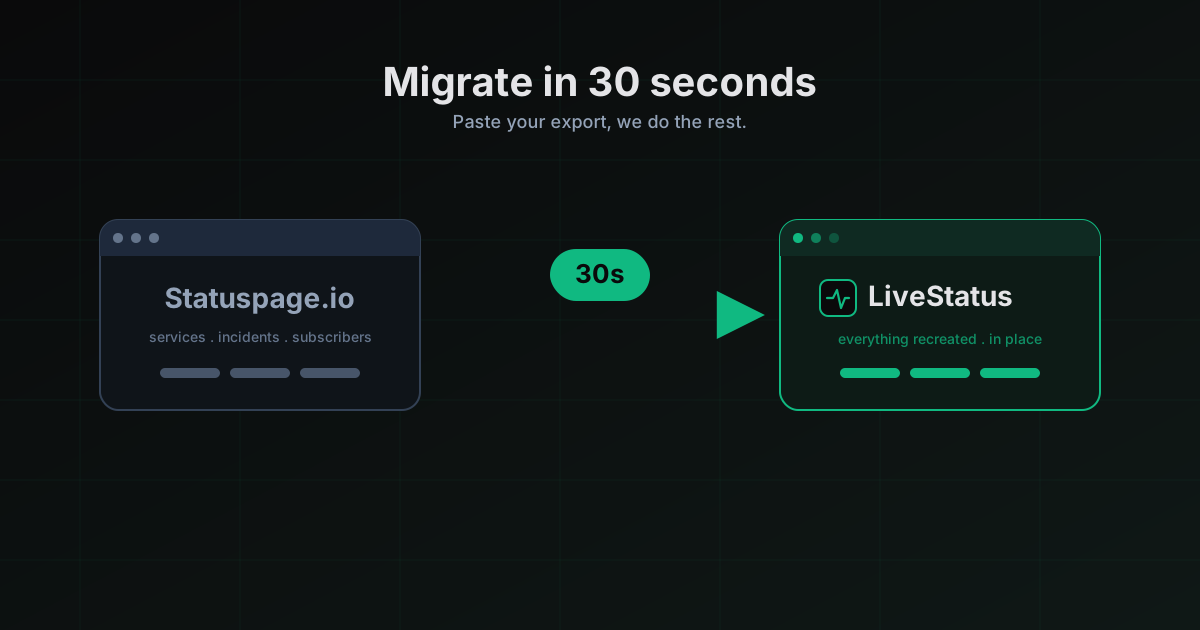
Migrating from Statuspage.io in 30 seconds
A walkthrough of the LiveStatus import flow. Paste your Statuspage export, keep your services, incidents, and subscribers. Done before your coffee cools.
If you've been putting off leaving Statuspage.io because "migration sounds annoying", good news. We built the import tool so you don't have to do any of the annoying parts. You paste one file, click one button, wait about 30 seconds, and you're done.
This post walks through the exact flow. I'll show where to get the export, how to import it, what we recreate, and what the pricing difference looks like on the other side. If you get stuck, email me at andrew@livestatus.dev and I'll help personally.
Step 1: export from Statuspage.io
Statuspage calls this "Account export" and it's buried two menus deep, which is on-brand. Go to your Statuspage dashboard, hit the avatar in the top right, then Manage account, then Export. Pick the JSON format. You'll get a download link emailed to you (because of course you will) and you can grab the file in a minute or two.
The export includes your services and their current status, all historical incidents with their updates, subscribers and their channel preferences, component groups, and custom page metadata like your brand color and subdomain. Statuspage does not export your uptime monitoring checks, which is fine because LiveStatus has its own monitoring engine anyway.
Step 2: open the LiveStatus importer
Sign up for a free LiveStatus account at livestatus.dev/signup if you haven't. It takes about 20 seconds. No credit card.
Once you're in, head to Dashboard then Import, or just go straight to /dashboard/import. You'll see a two-panel layout. Source on the left, preview on the right.
Pick Statuspage.io as the source, then drag the JSON file you just exported onto the drop zone. We parse it client-side first so you can see exactly what we're about to create before anything hits the database.
Step 3: review the preview
The preview is the bit I'm most proud of. It shows:
- Every service we're going to create, with its mapped status
- Every historical incident and how many updates are attached to it
- Every subscriber and whether they'll be re-verified (spoiler, they won't, we preserve their opt-in state)
- Anything we can't map cleanly, with a plain-English explanation
If something looks wrong, you can edit it in place before you commit. You can also uncheck any services or incidents you don't want to bring over. Most people bring over everything, but I've seen a few teams use this as a chance to clean up stale components from five years ago.
Step 4: commit
Hit Start import. A progress bar appears. Under the hood we're doing the inserts in a single transaction, so if anything fails we roll back cleanly. No half-migrated state, no "some of your services are in limbo" nightmare.
Typical timing, in case you're curious:
- 10 services, 50 incidents, 500 subscribers: about 8 seconds
- 50 services, 500 incidents, 5,000 subscribers: about 22 seconds
- 200+ services and a decade of incident history: under a minute
We throttle the writes slightly so we don't pop any rate limits, which is why it's not instant. Could we make it instant? Yeah. Is 30 seconds already fine for a once-in-a-company's-life operation? Also yeah.
Step 5: point your domain
This is the only manual step left. Your old Statuspage.io page was probably at status.yourcompany.com via a CNAME. To move it:
- In LiveStatus, go to Pages then your new page then Settings then Custom domain.
- Enter
status.yourcompany.comand click Verify. - Update the CNAME at your DNS provider to point to
cname.livestatus.dev. - Wait for the green checkmark. Usually 2 to 10 minutes depending on your DNS TTL.
Your old Statuspage URL keeps working during the switch. Subscribers don't see any gap. When the new domain goes green, you can cancel Statuspage.
What you actually save
Here's the unglamorous part of any migration post, the money bit. I'm only going to compare the cheapest "real" tier on each side, because Statuspage's Hobby tier doesn't allow custom domains, which means nobody using it for a real business is on it.
| What you need | Statuspage.io Startup | LiveStatus Starter |
|---|---|---|
| Public status page with custom domain | yes | yes |
| Services | 20 | 10 per page, unlimited pages on Pro |
| Email subscribers | 100 | 500 |
| SMS subscribers | add-on | Pro tier, included |
| Uptime monitoring | separate product | included on Starter |
| Native mobile app for end users | no | yes |
| Price | $29 / month | $19 / month |
Move up one tier on each side and the gap gets bigger. Statuspage Business is $99/month for most of what we give you on Pro at $49. I'm not trying to be petty about it, the pricing is just what it is. Statuspage was set up a decade ago when status pages were a specialty product. They haven't updated the pricing model because they don't have to. Atlassian owns them.
I'm competing on both price and product, and the migration tool exists so you can actually cross the moat. Otherwise the "switching cost" objection kills every deal. The importer removes it.
What if something breaks
If the import fails, it rolls back and we email you the error. You lose nothing. Your Statuspage page is untouched. You can retry as many times as you want, or email me and I'll look at your export by hand.
Things that have gone wrong in the wild so far:
- Very old Statuspage exports use a deprecated JSON shape. We added a compatibility path for pre-2019 exports. If yours is older than that and still fails, send it over and I'll add the case.
- Subscriber phone numbers without E.164 formatting. We normalize these on import now, but the first few users hit this. Fixed.
- Component groups nested more than two levels deep. Statuspage allows this but almost nobody uses it. We flatten to two levels with a console warning. File a feature request if you need deeper nesting.
That's about it. If you're on Statuspage or Instatus today, run the import and try it. Worst case you're out 30 seconds.
Best case you save $10 a month and your customers finally get push notifications.
More posts
The Best BetterStack Alternative in 2026: LiveStatus
Looking for a BetterStack or Statuspage alternative? LiveStatus gives you beautiful status pages and uptime monitoring without the enterprise price tag.
Why Every API Provider Needs a Status Page
API providers without a status page are leaving developer trust on the table. Here's what a proper API status page does, what it covers, and why it reduces your support load while your incidents are still in progress.
How a Status Page Cuts Support Tickets by 40%
The math behind how a status page reduces support ticket volume during incidents. Email subscribers, SMS alerts, proactive communication, and why the ROI shows up in your support metrics within the first incident.